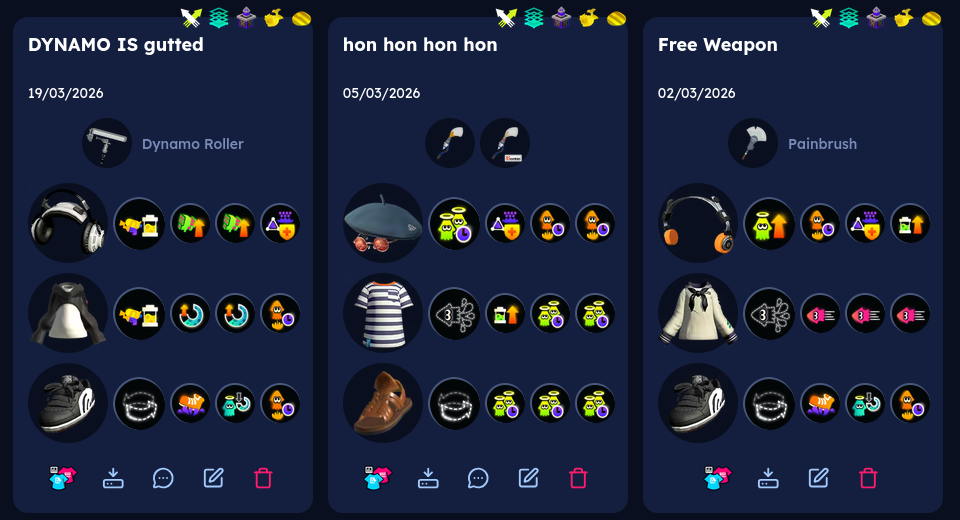
Importing Splatoon 3 Gear Seed to Lean's Site
This page is in eternal WIP, if you run into any issues feel free to DM me on Discord at pickledcow and I’ll be happy to help out.
If you’re reading this, its probably because I linked you to this page so you might already know what’s going on. But in case you don’t know:
Quick Access
Why should I care?
I’m sure you know by now how awful Splatoon 3’s gear system is. Try to add chunks manually and they cost 10 chunks each, 20 and 30 if that ability is already present in that piece of gear. Maybe instead you try to use drinks but turns out the chance to get the ability of the drink is only 30%, giving a 2.7% chance overall to get what you want through just drinks. There must be a way out of this madness.
It doesn’t have to be this way
There’s a tool made by Lean that can simply list out your gear seed so you can see exactly what abilities will drop from any piece of gear. Historically using this tool was very easy, being able to just submit a replay to the website and being able to get your gear seeds instantly. But Nintendo had to be Nintendo and now that method does not work, so here we are.
So how do we do it?
First thing’s first, you will need a PC to do this. If all you have is a mobile phone I’m afraid your journey ends here. Windows, MacOS, Linux are all fine but ideally you’ll have admin privileges. Basic computer literacy is assumed for this guide.
Install the following programs:
- Python
- Node.js
- Git (Windows only, pre-installed on Mac and Linux)
- If you have to ask, you’ll want the
x64one.
- If you have to ask, you’ll want the
NXAPI setup
Open PowerShell (or cmd, Terminal, or whatever equivalent).
Run
npm install --global nxapi@nextWindows: If this fails complaining about
running scripts is disabled on this system, run the following and try again:Set-ExecutionPolicy -ExecutionPolicy RemoteSigned -Scope CurrentUser
In the same terminal window, run
nxapi nso authand follow the instructions to authenticate with your NSO account- You need to be logged in to your Nintendo Online account on that PC to do this.
Ctrl+Vwill not work in a terminal, you either have to right click or useCtrl+Shift+Vto paste, depending on OS.
s3s setup
Now we have to set up s3s.
- In PowerShell (or whatever terminal you’re using), navigate to some folder you know.
DocumentsorDownloadsis fine.- The command for doing so is
cd <path>without the<>.
- The command for doing so is
- Download
s3sby runninggit clone https://github.com/frozenpandaman/s3s.git - Change directories to it by running
cd s3s - Install the dependencies by running
pip install -r requirements.txt- On Windows, you may have to instead run
python -m pip install -r requirements.txt
- On Windows, you may have to instead run
- To get our API token, run
nxapi util update-s3s-token config.txt - Then run
python s3s.py --getseed- This will create a file named
gear_<numbers>.json. Hold on to this.
- This will create a file named
On s3s
s3s is a service that aims to collect data about the player base. If you’re feeling generous then you can support them by submiting your data by following their instruction found here.
Uploading to Lean’s website
Almost there, we now have to upload this data to Lean’s site.
- Visit Lean’s gear checker site and log-in with Discord.
- Go to the
User Settingstab and then scroll down to theImport From SplatNetsection. PressUpload. - Upload that
jsonfile from earlier and pressUpdate Database
We’ve set it all up now, from here we learn how to use the tool.
Using Lean’s gear seed tool
To get the ability outcomes of gear, we must first register our gear.
- Head over to
Gear Database, click onAdd new gear, and pick out the gear to see the seed of.- For the time being, only pick the gear you haven’t used yet as it is the easiest to work with.
- Click the
Brand New Gearcheckbox and clickSave.- Don’t worry if you clicked
Delete, just do it again.
- Don’t worry if you clicked
- Now head over to
Gear Seed Checker. - Select your new gear from the dropdown.
- Click on
Show Timeline.
Fundamentals
From now on you no longer need to use a computer, the rest can now be done from your phone if desired.
What am I looking at?
This is the timeline. What you see here is the abilities that you will get depending on which drink you had active at the time.
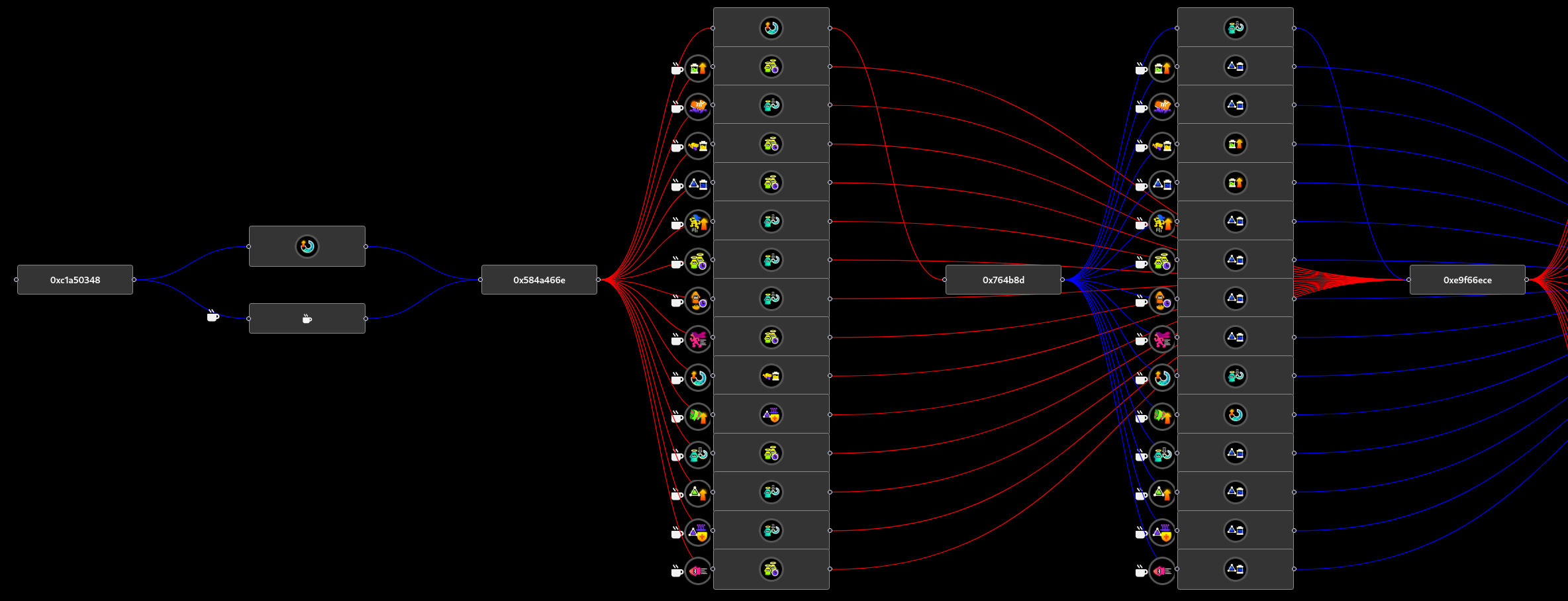 There are two types of seeds, “Standard” and “Drink” seeds (made up names by me).
“Drink” seeds always give the effect of the drink you’re using. These are ideally the types of seeds we want to see in our timeline but we can’t really control that.
“Standard” seeds have varying outcomes depending on what drink you have active, but typically do not match up with the drink ability. These seeds have a special quirk where if you use a drink, the seed will advance twice, which you can observe on the timeline.
Now you have two options on building gear. You can either manually trace a path or use the automatic tool, or you can use Search Target to have the website automatically determine a path. We’ll start with the built-in tool.
Automatic Method
In most cases this tool will be the one you’ll want to use. Simply slot in the sub-abilities you want to roll on your gear and press Find Result. You will tend to have much more obtainable results if you also check Allow Chunks and keep Fixed Order disabled. Increasing Number of Slots. or Maximum Number of Slots to Search also helps show farther away paths but they may be too tedious or expensive to be realistic to pull off.
If you don’t want to think too hard, you can just follow the instructions below, but otherwise the next section will explain ways to optimise this a bit more.
Timeline Method
Doing it through the timeline is effectively what the tool does for you, but the tool is unable to comprehend that you may be working with multiple pieces of gear that you may be willing to shuffle some abilities around. The timeline lets you make these adjustments yourself.
The most important thing to remember is that drinks advance your seed by 2 on “Stnadard” (tall) seeds.
DRINKS ADVANCE YOUR SEED BY 2 ON “STANDARD” SEEDS!
This is something that you can use to your advantage however, and the fact “Drink” seeds do not have this behaviour is hidden when using the automatic method.
You will very rarely actually be able to get the abilities you want from the very first seed. So in practice, to actually get the right abilities we will first need to “advance” our seed a bit before scrubbing and building. By utilising the fact that drinks advance your seed by 2 (on “Standard” seeds), we can speed this process up by strategically using drinks to get to our seed faster.
Since it doesn’t matter what drink we use, as all drinks advance seed equally, you can choose to use drinks you have a surplus of, or use drinks that will drop chunks that you are short on.
Super Sea Snails and Ordered Gear
One nuance to this system is that not all ability slots are the same. The only scenario where the seed is advanced is when you see that roulette appear.
This means that Super Sea Snails advance the seed by 3, ALWAYS. They will always act as 3 non-drink seed advances, regardless of if you actually have a drink active or not.
Additionally, abilities gained from SplatNet, other players in the lobby, and from GrizzCo. do not advance your seed. This ties in with the next section.
What about used gear?
All the talk so far was about doing it on fresh gear, but things can get a bit confusing with gear you have already used.
There is no sure-fire way to determine what seed your gear will be unless you’re absolutely certain about how much you’ve used it. Typically empty or partially filled out gear can safely be determined to be unused but this may not necessarily be the case, so this section will explain how to locate yourself on the timeline.
With the timeline up, click on Display Results to show the menu for updating gear seeds. Look at the timeline and try to figure out what path you might have taken. In most cases the gear will have drink-less unlocks but it may not have so that is something to factor in while searching.
Once you think you found where you might be, go up to the table and click on Update Seed and Save. The ability displayed should be the same as the one you unlocked last.
After updating the seed, try the process as normal from now. If the next ability you get is not what you expect however, your predictiion on where you are on the timeline was incorrect and we need to relocate ourself on the timeline.
When you get the wrong ability roll, take a video capture ASAP to make your life way easier.
Since you know your latest roll and drink used, it should theoretically be easy to find where your true position is on the timeline. In pretty much every case the correct option will be the earliest option it could have been, but we can always iterate on this if that prediction was wrong yet again.
Alternatively, you can also use a Super Sea Snail to have the guaranteed 3 non-drink seed advances which will usually be enough to locate yourself on the timeline.
Misc Troubleshooting
I’ll put most issues people run into here. If you run into an issue and it isn’t listed here, feel free to DM me on Discord at pickledcow and I will likely add it here after helping.
HALP I MESSED UP MY GEAR SEED FOREVER MY LIFE IS OVER
If you’ve accidentally advanced your seed on the website more than it actually should be, you can always delete and re-import your gear.
Head over to Gear Database, find your gear in the list and delete it. Afterwards, click on Add new gear to reimport your gear, mark as Brand New Gear, and relocate yourself on the timeline.
Credits
I didn’t figure any of this out myself, all this post does is collate it into one article. Here’s all the sources I’ve basically stolen the work from.